Draw Your Cart Guides
From first ink stroke to boss clears, duels, upgrades, and cosmetics — every tutorial in one hub.
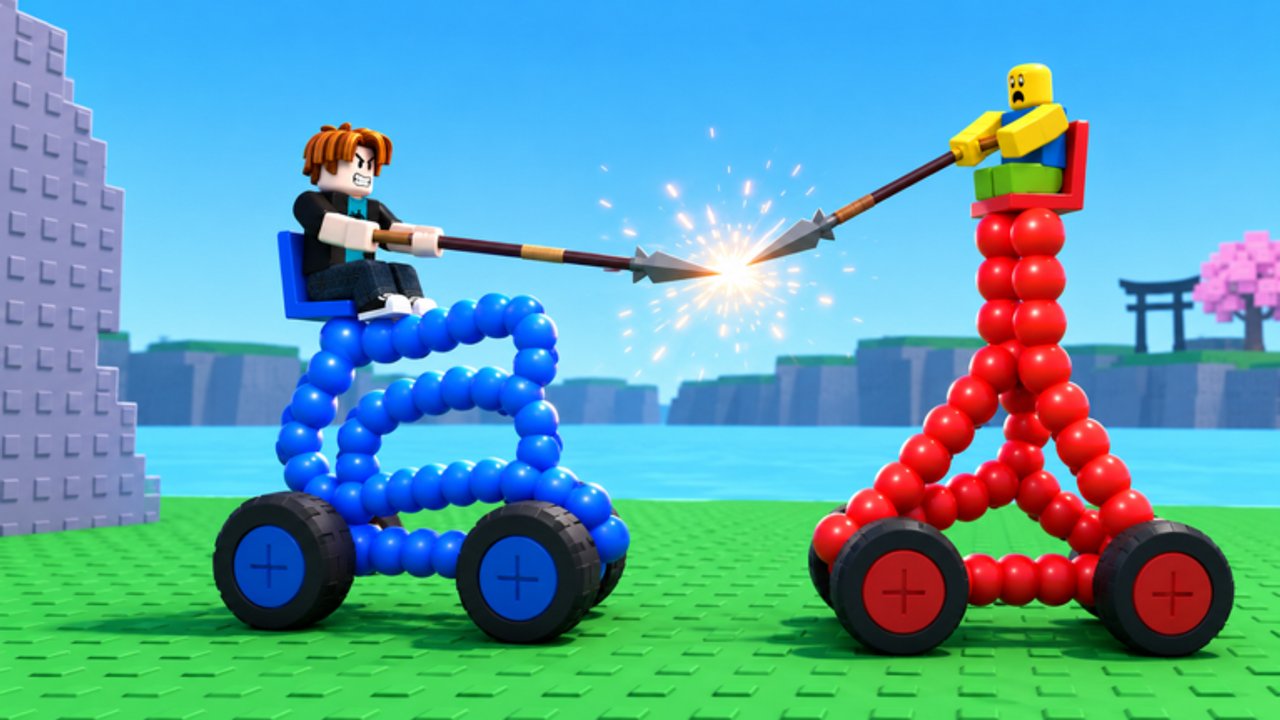
This Guides Hub is the map for learning Draw Your Cart, the SendyStudios Roblox experience where you sketch a combat cart with limited ink, then drive it into chaotic FIGHT rounds. Whether you are on Desktop, Console, Mobile, or Tablet, the same fundamentals apply: smart drawing, clean swipes, and upgrading ink so later sketches can afford better shapes.
Use the list below as your reading order. New players should start at Getting Started; returning players can jump straight to bosses, duels, or cosmetics.
All Draw Your Cart guides
- Getting Started — first session checklist, lobby flow, FIGHT basics, win conditions, and what to unlock after your early wins
- How to Draw Carts — ink budgeting, rider/wheels/weapon priority, shapes that stay upright, and common drawing mistakes
- Boss Fights — what changes on every 10th win, how giant bosses punish fragile carts, and prep routines
- Upgrades and Ink — spending coins into more ink, why upgrades unlock higher-tier builds, and efficient upgrade timing
- Duels — using DUEL for 1v1 practice, reading opponents, and adapting weapons for focused fights
- Skins and Cosmetics — hats, balls, wheels, flags, and how cosmetics fit beside real performance upgrades
- Controls — draw inputs, FIGHT swipes, lobby buttons, and Desktop / Mobile / Console / Tablet tips
- Quests and Career — the 10-win unlock, quest hygiene, and how to read CAREER stats
Cross-link these with the Tier List Hub, weapons rankings, and cart builds once you understand the rules of the match.
How a match works (quick refresher)
- Draw a cart using your current ink limit. Join a rider, wheels, and a weapon before you confirm.
- Press FIGHT and swipe to drive. Steering and timing matter as much as the sketch.
- Win by hitting the enemy rider with your weapon, pushing them into water, forcing a ground crash, or breaking enough cart pieces.
- Bank coins, then decide whether to redraw with better knowledge or buy UPGRADES for more ink.
- Every 10th win escalates into a giant boss fight — do not walk in with a glass cannon you only tested in easy lobbies.
- Queue DUEL when you want cleaner 1v1 reps inside the server.
- At 10 wins, quests unlock and career stats become a useful mirror for what you actually do well.
If that loop still feels fuzzy, open Getting Started before anything else.
Recommended learning path
Hour 1: Finish a few casual FIGHT rounds with a simple, stable cart. Ignore fancy spikes. Learn water and ground loss conditions. Skim Getting Started and How to Draw Carts.
Hours 2–3: Spend coins on ink upgrades so your next drawings can include a real weapon and wider wheel base. Read Upgrades and Ink, then peek at cart builds on the tier list.
First boss milestone: Before your 10th win streak checkpoint, rebuild for stability and reach. Read Boss Fights and avoid tippy meme shapes.
Skill ceiling: Use DUEL to isolate bad habits (over-swiping, tunnel vision on piece breaks, ignoring rider hitboxes). Compare your favorite weapon to the weapons tier list.
Collection phase: After your toolkit feels consistent, chase skins and flags for flair without sacrificing structure. Skins and Cosmetics explains the slots.
Platform tips worth repeating
- Mobile / Tablet: Prefer compact chassis with clear swipe lanes; tiny decorative bits are hard to micro-correct with a thumb.
- Desktop: Use precise weapon angles and practice feint swipes; do not waste ink on symmetry that never hits.
- Console: Stick steering rewards stable wheel placement; sudden high spikes can feel sluggish to recover.
Across all platforms, ink upgrades remain the universal power spike. Codes are not required — and as of late November 2026 there are still no confirmed active codes. Scripts are likewise not widely verified for this place; stick to guides.
How these guides stay useful during rapid patches
Draw Your Cart launched November 9, 2026 and was still receiving updates through November 25, 2026. Early-life patches can tweak ink feel, driving, or boss behavior. When something in a guide disagrees with what you see live:
- Check the Updates Hub and launch notes.
- Re-test the mechanic in a private mindset (or DUEL) before assuming the guide is wrong forever.
- Lean on ranking criteria — ink efficiency, reach, stability, boss viability — even if a specific shape moves tiers.
Creator context, group links, and announcement sources live on the Players Hub and Links Hub. Official play link: Draw Your Cart on Roblox.
What good practice looks like
- Redraw between losses instead of repeating a broken chassis
- Track whether you lose to water, ground, piece breaks, or rider hits — each asks for a different fix
- Upgrade ink before copying an advanced YouTube cart that assumes a larger budget
- Treat every 10th win as a scheduled exam for your current build
- Use career stats after quests unlock to spot over-reliance on one win condition
Browse every guide linked above, keep the tier lists open while you experiment, and treat this hub as the table of contents for climbing Draw Your Cart the legitimate way — one smarter sketch at a time.
Frequently Asked Questions
Quick answers for Draw Your Cart players.
Which guide should I read first?
Start with Getting Started, then How to Draw Carts. Add Upgrades and Ink as soon as you have coins, and read Boss Fights before your first 10-win boss milestone.
Do these guides work on Mobile and Console?
Yes. Core rules are the same on Desktop, Console, Mobile, and Tablet. Individual guides call out control differences where swipe feel or precision changes the best shapes.
Where do tier lists fit with guides?
Guides teach systems; tier lists rank weapons and cart builds using ink efficiency, reach, stability, and boss viability. Use both — especially Weapons and Cart builds under the Tier List Hub.
When do quests unlock?
Quests unlock at 10 wins, alongside useful career stats. Getting Started and Upgrades and Ink explain how to plan that milestone without wasting early coins.
Is there a video with these guides?
Individual guides embed topic AdamRBLX clips where helpful. Start with Getting Started or Controls, then pair video rhythm with the written checklists after patches.