Draw Your Cart Controls
Every input that matters — drawing ink, swiping into FIGHT, opening DUEL, and using menus on every platform.
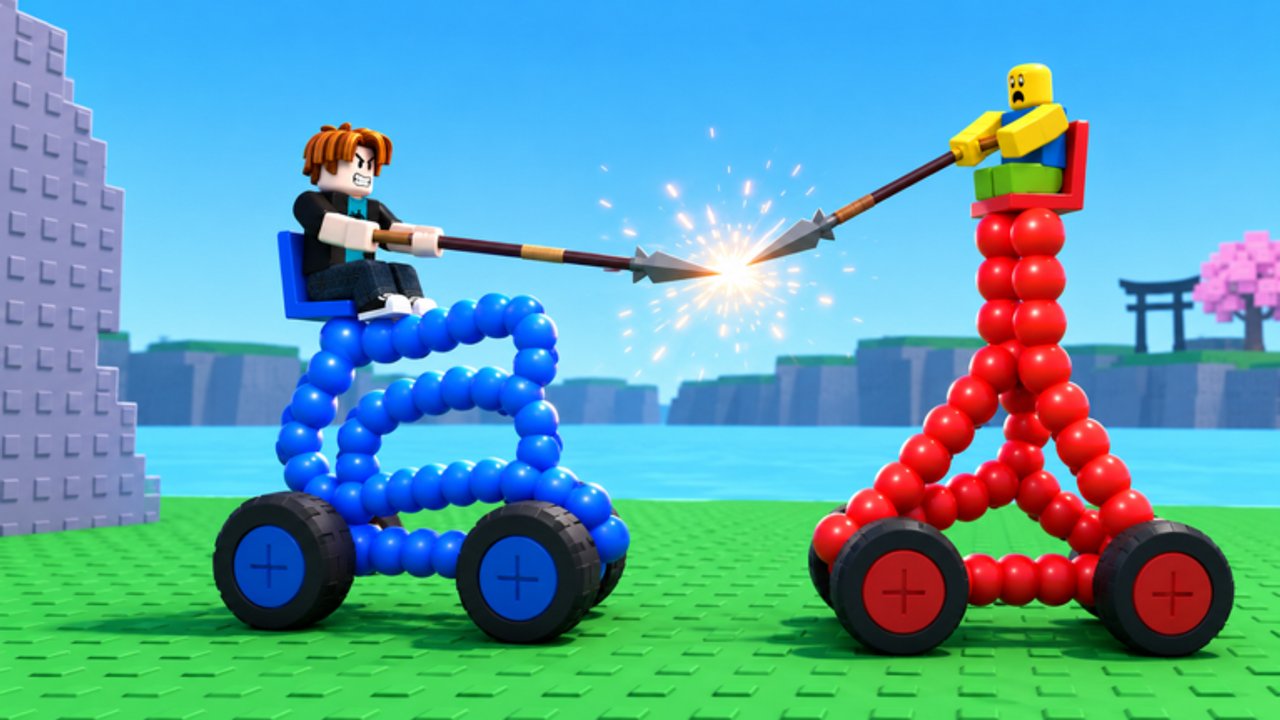
Mastering Draw Your Cart controls is the difference between a cart that looks clever and a cart that actually wins. SendyStudios built a party fighter where you draw with limited ink, press FIGHT!, then swipe to drive. The same loop runs on Desktop, Console, Mobile, and Tablet, but the feel of each input changes how you should sketch. This guide maps the full control surface so you can move from lobby menus to clean knock-offs without fighting the UI.
Pair this page with Getting Started for the match loop and How to Draw Carts for ink craft. When a patch lands — the experience was still updating on November 25, 2026 — re-check button labels here against the live lobby.
Core control loop (all platforms)
- Draw phase — Spend ink to connect rider + wheels + weapon into one rigid body.
- Confirm / lock — Leave the canvas when the cart is joined and upright.
- FIGHT! — Enter the arena and use swipe / drag gestures (or the platform equivalent) to drive into the enemy.
- Win conditions — Hit the rider, push into water, force a ground slam, break pieces, or smash through walls when the map allows.
- Lobby systems — Spend coins in UPGRADES, browse SKINS, press DUEL for 1v1, and after 10 wins open QUESTS / CAREER.
Official description language is the source of truth for those verbs. If a YouTube short compresses the tutorial, still verify each button in your own lobby — early-life UI can move.
Drawing controls
Drawing is freehand under an ink budget. Think of the canvas as a physics blueprint, not a sketchbook.
Desktop (mouse)
- Click-drag smooth strokes; avoid micro-scribbles that burn ink.
- Zoom or pan if the UI offers it before placing thin spears.
- Use short reinforcing strokes on joints instead of one continuous decorative swirl.
Mobile / Tablet (touch)
- Draw slower than you think you need — palm and thumb arcs overshoot thin mounts.
- Keep chassis compact so swipe recovery later is forgiving.
- Lift between major parts (wheels, then weapon) so you do not accidentally merge junk lines.
Console (controller)
- Learn the draw stick / trigger mapping on first join before spending ink on experiments.
- Prefer thicker beams; stick precision is worse than a mouse for hairline weapon stalks.
- Confirm each segment when the UI requires a release — accidental loops are the #1 ink tax.
Across devices, the hard rule stays: rider, wheels, and weapon must join. Floating art fails or shatters on first contact. Details live in How to Draw Carts.
FIGHT! movement and combat inputs
After FIGHT!, movement is swipe-driven. You are not tapping a long combo list; you are aiming momentum so the weapon leads.
- Commit swipe — Drive the weapon tip or blade into the enemy rider first when possible.
- Angle, do not spam — Full-speed charges with a blunt nose waste openings; curve so the hitbox that matters arrives first.
- Reset spacing — After a glance, use a short reverse or curve swipe (platform permitting) before re-committing.
- Read top-heavy foes — A low hit can flip faster than a high poke.
- Damaged cart mode — If you lose a wheel, stop trading chassis and hunt rider contact or water pushes.
Practice these habits in public FIGHT lobbies before you press DUEL. One-versus-one punishes sloppy inputs because you cannot casually farm another easy AI wave between redesigns — see Duels.
Lobby buttons you should memorize
| Control / menu | What it does | When to use it |
|---|---|---|
| FIGHT! | Starts a standard match | Default grind for coins and wins |
| DUEL | Challenges a player in your server 1v1 | Skill reps, mirror matchups |
| UPGRADES | Spends coins — prioritize INK | After every few wins |
| SKINS | Hats, balls, wheels, flags | After your cart stops collapsing |
| QUESTS | Unlocks at 10 wins | Directed goals + rewards |
| CAREER | Stats mirror after 10 wins | Diagnose win-condition habits |
Servers cap around six players in the current experience settings, so DUEL targets are usually sitting in the same small lobby. Do not confuse empty menus with a broken game — you may simply be pre-quest unlock.
Platform-specific tips that change builds
Mobile / Tablet
Compact chassis, clear swipe lanes, fewer decorative spikes. Tiny filigree is hard to micro-correct with a thumb mid-fight. Prefer cart builds that stay upright when a swipe overshoots.
Desktop
You can afford sharper weapon angles and feint swipes. Still respect ink — precision is not free length. Pair with the weapons tier list once you can place spears cleanly.
Console
Stable wheel placement beats tippy meme towers. Stick steering rewards carts that forgive a late correction. Spend early coins on ink upgrades so beams can be thicker.
Boss and milestone control mindset
Every 10th win is a giant boss fight. Controls do not change, but your margin for error does. Before the checkpoint:
- Redesign with max ink focused on reach and integrity.
- Warm up one clean FIGHT so swipe timing feels fresh.
- Avoid brand-new control experiments on the boss cart itself.
Full prep lives in Boss Fights. Quests and career panels that unlock at the same milestone are covered in Quests and Career.
Troubleshooting “controls feel broken”
- Did a patch just ship? The place updated through November 25, 2026 with ~767K visits and strong concurrent play. Skim Early Patches and Updates.
- Are you out of ink mid-draw? Stop decorating; reconnect rider/wheels/weapon.
- Is the weapon behind the nose? Redraw so the hitbox leads.
- Touch lag? Close background apps; draw fewer micro-strokes.
- Controller mapping surprise? Re-open the draw tutorial prompts on first join after a client update.
Practice drill (ten minutes)
- Draw the simplest connected cart you can.
- Win one fight using only rider hits.
- Win one fight aiming for water or ground.
- Buy ink if coins allow.
- Redraw with one longer weapon and repeat.
That drill wires controls to outcomes faster than watching twenty shorts. Use the AdamRBLX clip on this page for visual rhythm, then return to written checklists when patches move a button.
Related pages
Controls in Draw Your Cart stay simple on purpose: draw joined parts, swipe with intent, spend coins on ink, and use DUEL when you want cleaner reps. Learn the menus once, then let better sketches — not button mashing — carry your win rate.
Frequently Asked Questions
Quick answers for Draw Your Cart players.
How do you drive in Draw Your Cart?
Press FIGHT! then swipe or drag to drive. Angle so your weapon hits the enemy rider, or push them into water or the ground.
Are controls the same on Mobile and Desktop?
The rules are the same, but input feel differs. Touch favors compact carts; mouse allows finer weapon angles; controllers reward thicker, stable frames.
What lobby buttons should I learn first?
FIGHT!, UPGRADES (buy ink), DUEL for 1v1, SKINS for cosmetics, and after 10 wins the QUESTS and CAREER panels.
Why does my drawing keep failing?
Ink must join rider, wheels, and weapon. Floating pieces or spent ink on decoration leave the cart disconnected or fragile.
Do bosses use different controls?
No. Bosses use the same swipe driving, but demand cleaner timing and stronger structures. Prep before every 10th win.